Creating a Resource Guide
In this post I’ll discuss how you can grow your opt-in rate by offering a free resource guide to your potential subscribers. (this is often called an ethical bribe or a lead magnet in the online marketing space).
And when I say a resource guide, I don’t necessarily mean a 30+ page eBook. I mean a relatively short downloadable PDF containing a list of tools, strategies, or resources that will benefit your audience.
You could for example, offer a checklist that solves a specific, narrow problem in your niche (e.g “The Must-have guide on how to get a date”) – It’s something that requires very little time to create, sparks strong desire within your prospects, and designed for quick information consumption.
Remember: People are becoming increasingly guarded with their email address so you want to offer something that is extremely useful and easy-to-use.
Here are some other great examples from around the web:
– “The top 5 tools to reduce, prevent and cope with your teacher stress and tension. (Hint: They work immediately and cost nothing!)”
– “Top 5 resources to get you from a complete beginner to an expert web developer. (The best part: It won’t cost you cent!)”
– “Baby Sleep Guide: The 5 essential things you need to do to help your baby sleep more! (Hint: It does not take an entire book to explain!).”
You get the point.
Step 1 – Creating your resource guide
Your first step is to brainstorm specific problems that your ideal clients are wrestling with – What issues might you be able to solve BEFORE someone is ready to hire you or use your paid service?
Once you’ve got that answered, pick the one you think would be most desirable, and brainstorm an attractive headline to best describe the problem you’re solving. Ask yourself: “If this headline was on a cover of a magazine, would it be attractive enough for me to pick up the magazine and read the article?”
Compile your resource list and write your guide. You want to do it in a way that demonstrates your expertise and gives people confidence in you as an expert. Alo, try to keep things simple and focus on providing value. You don’t need a fancy design, for example, to provide value.
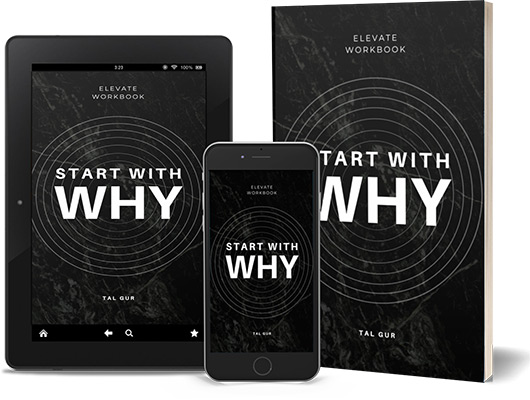
(See attached a resource guide I wrote a few years ago as an example).
Once you’re done writing your guide, save it as a PDF. You can easily do it from Google Drive (File → Download As → PDF document) or by using the free OpenOffice.org Writer (File → Export as PDF..). Then attach it in the first email which subscribers receive after signing up to your list.
Step 2 – Creating a cover for your guide
It has been said that the average visitor spends around 5 seconds before they make a decision and that their decision is often based solely on what they SEE first.
You have probably heard that “a picture is worth a thousand words.” That could not be truer when it comes to offering your resource guide on your website.
A well-designed cover serves as a powerful attention-grabbing tool, often resulting in a much higher subscription rate.
Here are a few tips that might help you in designing a high quality looking cover:
1. Title & text – Make sure your cover’s title is not too long. The more words you use, the smaller the text will be and the more difficult it will be to read. Also, keep the amount of text to a minimum. A title and perhaps a short tagline can be enough. If you do end up including a tag line, try using two different fonts for the title and tagline. This will differentiate them and make them more legible.
2. Graphics & images – Simplicity is key so avoid too many graphics. Often times, one image is all that need to communicate the essence of what you have to offer. Needless to say, the mage you pick should closely reflect the topic of your resource guide.
3. Colors – Understanding color choices and implied perceptions will help you with creating a more effective cover design. Colors can elicit different emotional reactions from different people and therefore it’s important you choose them based on your targeted audience. The color green, for example, represents money, prosperity, and wealth. It’s also the universal color of nature which can be associated with growth and renewal. Orange promotes physical confidence and enthusiasm – adventure-seekers and sportsmen can relate well to this color. And the list goes on. Simply do a quick research on the meaning of colors and pick ones that work well with your website colors and audience.
Now, If you have a limited budget and like to do things yourself, then a good place to start with your cover’s design is https://myecovermaker.com/. This simple online tool allows you to create a professional looking 3D cover in just a few minutes.
Alternatively and if you have a higher budget, consider hiring a designer. You can use sites like https://fiverr.com to get a simple cover design from as little as five dollars or https://99designs.com to get multiple designers to bid on your cover’s design project.
Step 3 – Promoting your resource guide
Placing random opt-in offers throughout your site is not enough for the success of your list building efforts. Your free guide offerings need to be strategically positioned on your website to ensure they aren’t overlooked by your potential customers.
Here are 3 key positions
– “About” page – If you haven’t been thinking of your about page as a landing page for new subscribers, now is the time to start. More often than not, it is one of the most visited pages for new visitors so don’t miss the opportunity to make the most of it! Simply put an Opt-in within, or at the end of your About page content with a call to action for people to sign up.
– Side bar – If your website design includes a sidebar, then adding an opt-in form at the top of the sidebar is a great place to start. Just make sure it’s visible without scrolling down (Above the fold), otherwise, you’ll be losing out on valuable email subscribers. Most WordPress themes come with “widget ready” sidebars (Under Appearance → Widgets) so if that’s your case, simply add a “Text” Widget and paste the opt-in code you get from Aweber or Mailchimp. Alternatively, just hire someone on fiverr.com or elance.com to do it for you.
– Below content – Make sure all of your content ends with a call to action! Placing a simple opt-in at the bottom of your content is an effective way to grab a reader right when they’re feeling great about your work. You can use a WordPress plugin (for exmaple, the premium https://optinskin.com plugin), or simply find omeone on fiverr.com/elance.com to code it for you.
Step 4 – Creating a lead capture landing page
The last step is often missed by many new entrepreneurs. The idea is to create a simple lead-capture landing page that is designed to sell your opt-in offer and get people to join your list.
The difference between this page and other pages on your site is that this new landing page won’t have ANY links or navigation menus. The ONLY option for the reader would be to either subscribe or leave.
This requires a little customization and technical-editing to your code so you want to hire someone on Fiverr.com or elance.com to do it for you. The goal would be to remove the usual clutter of the main site so your reader can focus completely on your offer and make a yes/no decision.
It might take some time to get it right but from my experience, it’s worth it! The conversion rate for this type of page can be 50% or higher if your offer (and traffic) is just right.
Good luck!
*To obtain more inspiration and motivation to achieve your goals, you definitely want to check out my extensive list of growth goals. This page contains SMART goal ideas that can help you establish new aspirations and attain greater heights in your personal growth journey. I utilized this page myself to create my own list of 100 life goals, which I dedicated a decade to pursuing.
Chief Editor
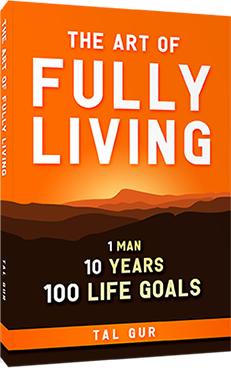
 Tal Gur is an impact-driven creator at heart. After trading his daily grind for a life of his own design, he spent a decade pursuing 100 life goals around the globe. Tal's journey and recent book, The Art of Fully Living, inspired him to found Elevate Society.